
Your workout.
Perfectly timed.
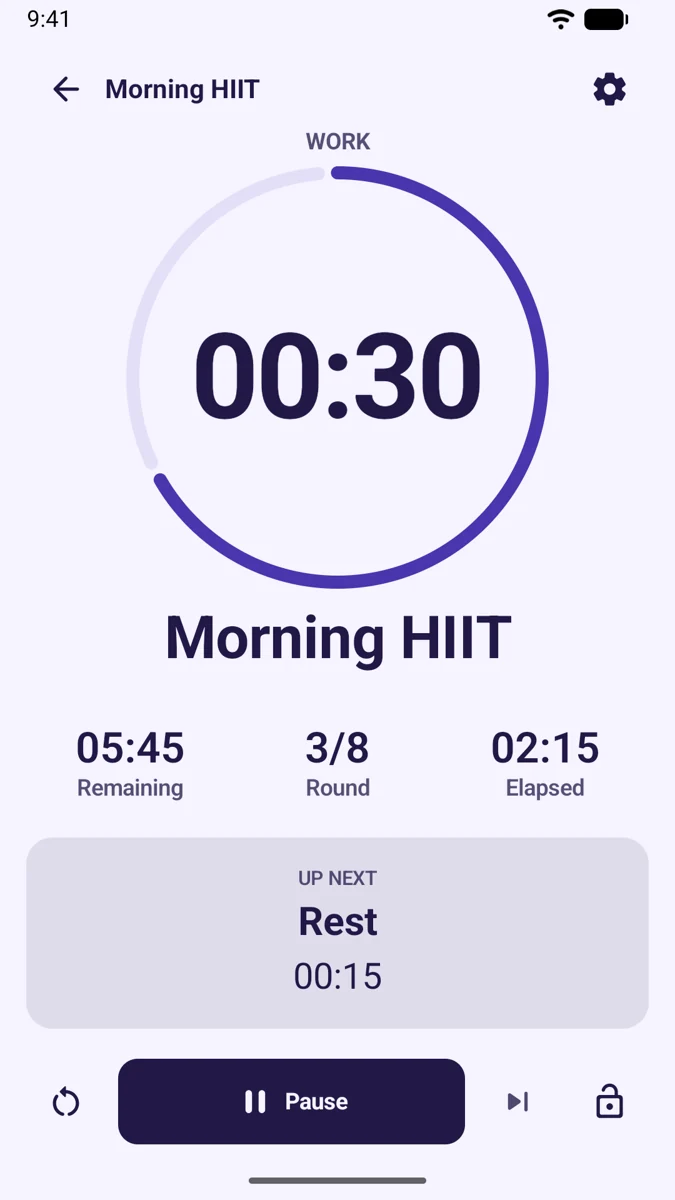
Build your routine. Press Start. Follow clear visual and spoken cues through every work and recovery interval.
A little structure.
A lot of freedom.
Real screens from Training Timer Pro. Select any image for a closer look.
From your pocket
to your training space.
Portrait or landscape. Phone, 7-inch tablet, or 10-inch tablet. The layout adapts so the timing stays clear.
More than work and rest.
Combine named exercises, repeat whole circuits, and add preparation, warmup, recovery, and cooldown stages.
Keep your eyes on the workout.
Hear exercise names, round announcements, advance cues, and optional 3–2–1 countdowns using Android text-to-speech.
Your session keeps moving.
Continue with the screen off or another app open. Pause and stop through the ongoing workout notification.
A few quick answers.
What can I use Training Timer Pro for?
HIIT, Tabata, boxing, strength circuits, cardio, mobility, and stretching. You can also adapt the simple interval presets for focused work or other timed routines.
Do I need to create an account?
No. Training Timer Pro requires no account and includes no ads or analytics SDKs. Your saved timers and workout options are stored on your device.
Can I customize the spoken announcements?
Choose voice, alerts, voice with alerts, or silent mode. Voice options include countdowns, advance announcements, and exercise names. English speech uses your device’s Android text-to-speech engine and selected voice.
What happens if a session is interrupted?
Reopen the app to recover the last saved workout position. It returns paused so you can choose when to resume.
Where can I read the privacy policy?
Read the Training Timer Pro Privacy Policy for details about app data, Android services, and your choices.
Where can I get help?
Visit our support page or email support@nordicaistudio.net. Include your Android version and what happened.
Make your next
session your own.
Find Training Timer Pro on Google Play.